Email Debugging with Environment Variables in Power Platform #PowerTips
Testing email workflows in Power Platform, especially in production, requires a safe method to avoid sending test emails to real users. Here’s a quick approach using environment variables to direct emails to a test inbox when debugging.
Step 1: Set Up Environment Variables
In Power Apps, create two environment variables:
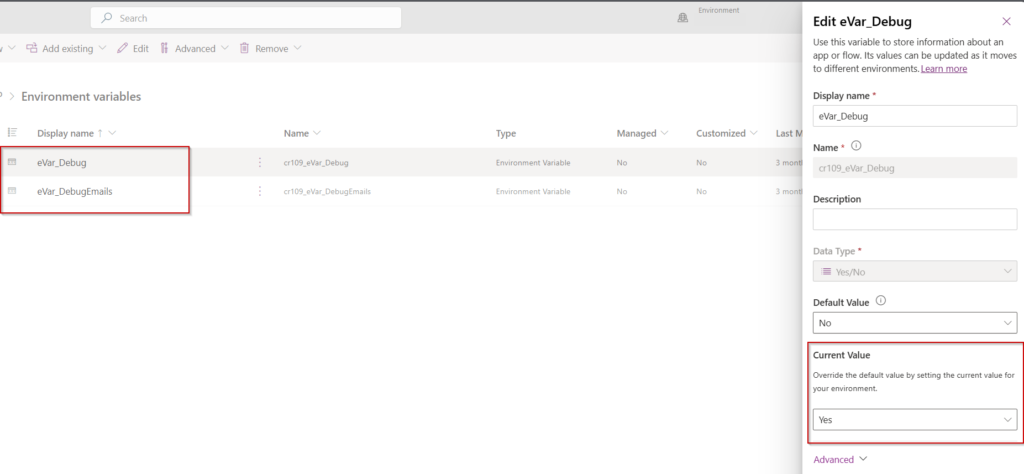
eVar_Debug(Yes/No): Set to “Yes” to enable debugging mode.
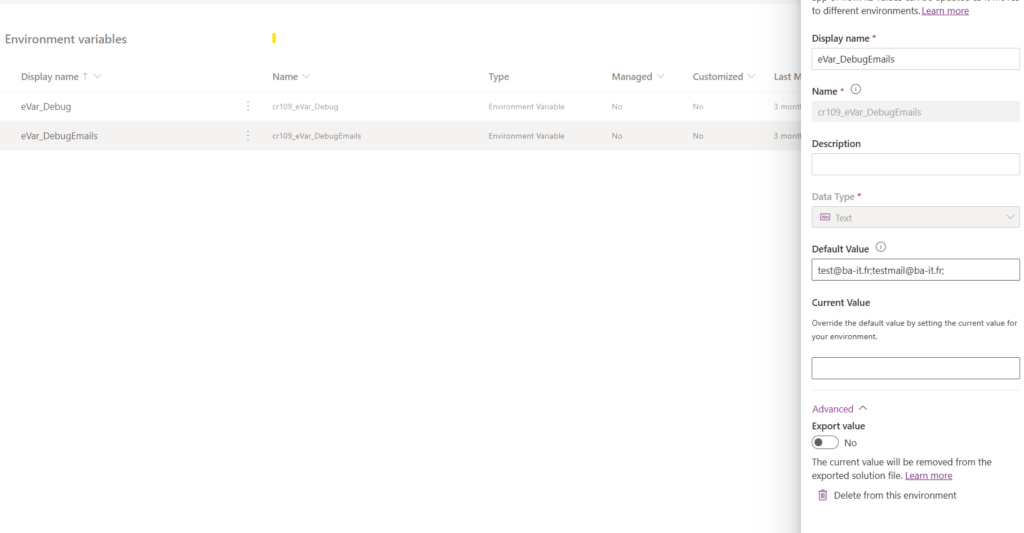
eVar_DebugEmails(Text): Enter a test email address (e.g., test@ba-it.fr).
Imagesabove shows how these variables look in Power Apps.eVar_Debugcontrols whether emails are sent to test (eVar_DebugEmails) or real recipients.
Add Conditional Logic in Power Automate
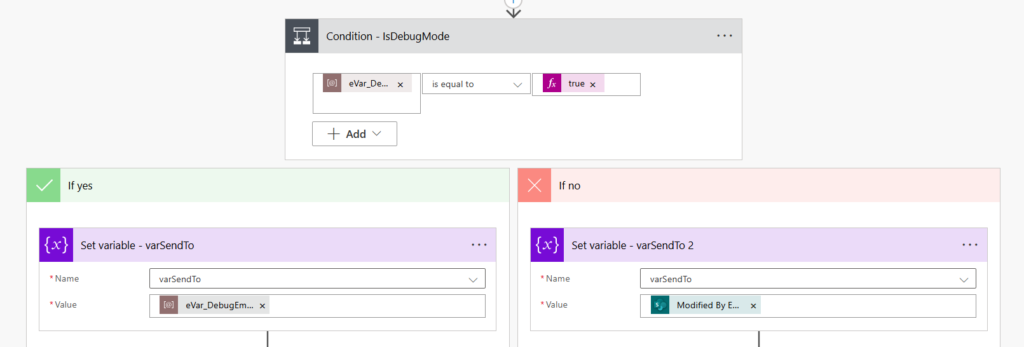
In your Power Automate flow, add a condition to check if eVar_Debug is equal to “true”.
If Yes: Send emails to eVar_DebugEmails.
If No: Send emails to the real recipient. Refer to Image 2 for the flow setup. This condition allows emails to be directed based on debug mode.
Why This Approach?With this setup, you can:
Safely test email flows in both development and production environments.
Easily toggle debug mode by updating eVar_Debug.
Simple, effective, and perfect for debugging email flows without impacting real users! 🚀