


Email Debugging with Environment Variables in Power Platform
Every Power Platform team has a horror story: a test flow that emailed 4,000 customers by mistake. Environment variables fix that class of bug once and for all.
Résumer cet article avec une IA
Le lien ouvre l'assistant choisi avec une question pré-remplie pointant vers cette page.
Testing email workflows in Power Platform, especially in production, requires a safe method to avoid sending test emails to real users. Here's a quick approach using environment variables to direct emails to a test inbox when debugging.
Step 1: Set Up Environment Variables
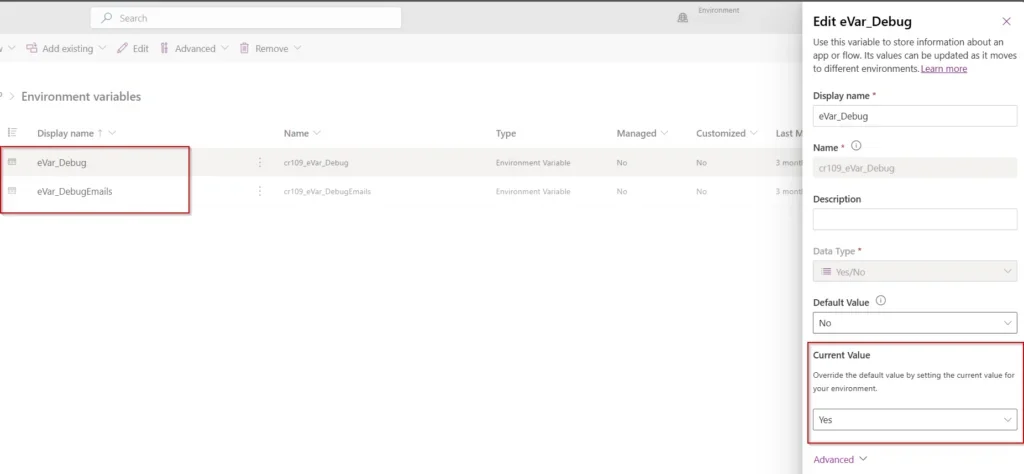
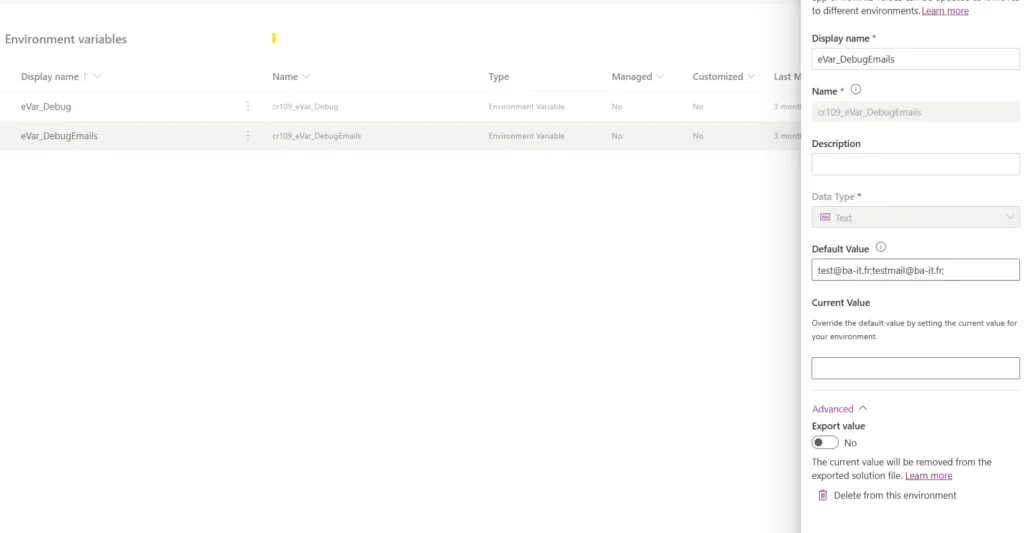
In Power Apps, create two environment variables:
- eVar_Debug (Yes/No) : set to "Yes" to enable debugging mode
- eVar_DebugEmails (Text) : enter a test email address
eVar_Debug controls whether emails are sent to test (eVar_DebugEmails) or real recipients.
Step 2: Add Conditional Logic in Power Automate
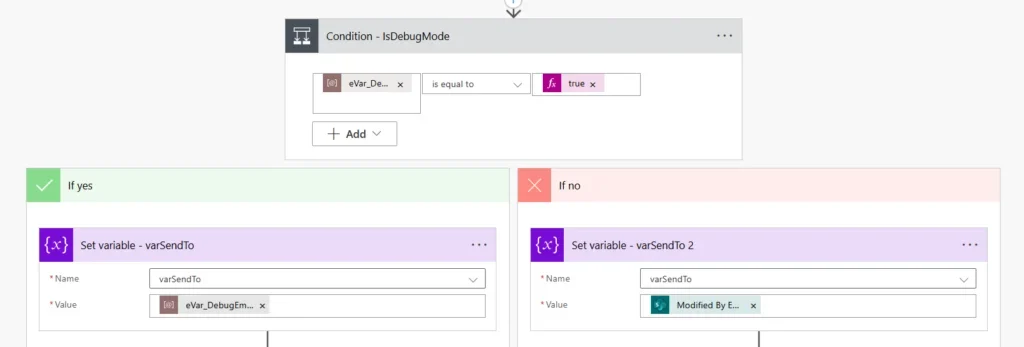
In your Power Automate flow, add a condition to check if eVar_Debug is equal to "true".
- If Yes : send emails to
eVar_DebugEmails - If No : send emails to the real recipient
This condition allows emails to be directed based on debug mode.
Why This Approach?
With this setup, you can:
- Safely test email flows in both development and production environments
- Easily toggle debug mode by updating
eVar_Debug
Simple, effective, and perfect for debugging email flows without impacting real users.
Sources
Official references, accessed 23 August 2026.